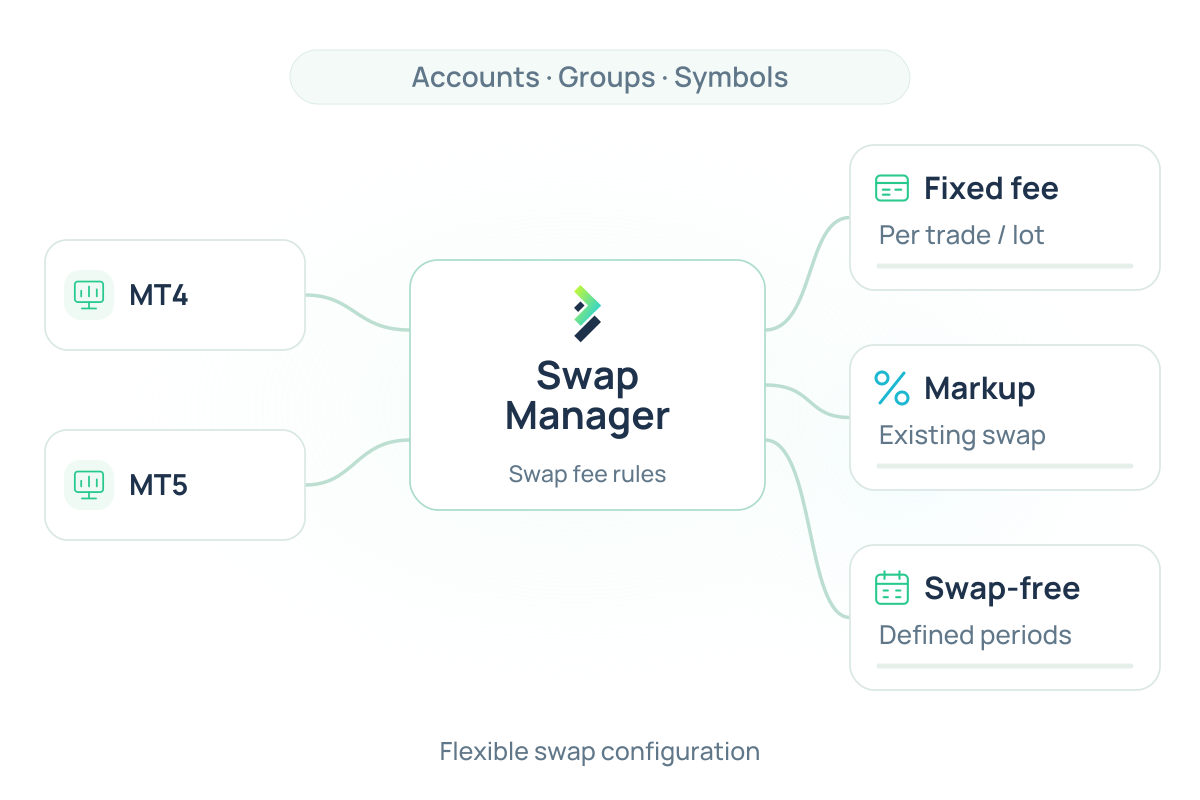
What is Swap Manager?

Brokeree's Swap Manager is a MetaTrader 4/5 trading-server plugin that allows brokers to configure swap fees independently of the trading platform defaults. Brokers can set a fixed fee per trade, per lot, or apply a markup percentage to the existing swap value. The plugin also supports swap-free periods for newly registered accounts or for new trades on specified symbols.

Swap Manager works as a server-side plugin installed directly on the MT4 or MT5 trade server. Once installed, it intercepts the platform's default swap processing and applies broker-defined rules in its place. Brokers configure those rules through the plugin, specifying fee type, amount, and the accounts or symbols the rule applies to. When a qualifying position is held overnight, the plugin processes the swap according to the matching rule rather than the platform default. Rules can be set for swap fee structure, swap-free durations, and how the resulting charge is recorded.

Swap charges can be aggregated and processed either as a part of the position itself or as a separate balance transaction with a custom comment.

Key Advantages

Flexible Swap Fee Configuration

MetaTrader calculates swaps using platform-defined rates tied to the symbol specification. Brokers cannot apply a different fee structure to specific accounts or groups without changing the symbol settings globally.

Swap Manager lets brokers override those defaults with their own rules. They can configure swaps with a fixed fee per trade, per lot, or as a markup on the default value. A fixed fee per trade charges a flat amount regardless of position size. A fixed fee per lot scales the charge with volume. A markup percentage adds a defined increment to the platform’s default swap value, leaving the base rate intact while capturing additional revenue. 

Swap-Free Period Management

Swap Manager lets brokers specify a swap-free period for newly registered accounts, allowing a defined number of days during which swap charges do not apply. It removes several of the first swap charges as a kind of promo period for traders. Once the defined period has passed, swap fees are applied as configured in the standard settings.

Configurable Swap Processing

Swap Manager supports two processing modes. In the first, swaps are applied to the position in the standard way. In the second, swaps are aggregated and processed as a balance operation with a custom comment. This makes it easier to present swap charges to clients in a clear and identifiable format, particularly when reconciling statements or handling multi-day accruals.

Swap-Free Periods for Specified Symbols

Beyond newly registered accounts, Swap Manager also supports swap-free periods scoped to new trades on specified symbols. When a trader opens a new position on a qualifying symbol, the swap-free period applies automatically for the configured number of days. Once the period ends, standard swap rules resume without requiring any manual action.

MetaTrader Default vs. Swap Manager

Feature MetaTrader Default Swap Manager
Swap fee type Platform-defined rates per symbol Flexible settings: fixed fee per trade, fixed fee per lot, or markup % on default swap value
Swap-free accounts Group-level swap-free setting Swap-free period for newly registered accounts, configurable by number of days, mode, rollover type, and accounting type
Swap-free for new trades Not available natively Applicable to new trades on specified symbols
Swap processing Applied to a position overnight Balance transactions with custom comments, or apply to a position
Fee flexibility Static platform rates Unlimited rule-based configurations

FAQs

What is MT4/MT5 Swap Manager?

It is a server-side plugin for MetaTrader 4 and 5 that expands the platform’s native swap handling. It lets brokers set custom swap fee structures per symbol or account group, configure swap-free periods for newly registered accounts or new trades on specified symbols, and choose how swap charges are processed, either applied to the position or recorded as a separate balance transaction.

How is it different from MetaTrader's built-in swap settings?

MetaTrader’s default setup applies platform-defined swap rates globally at the symbol level. Swap Manager adds rule-based fee configuration, supports swap-free periods with defined durations for specific accounts or symbols, and provides an alternative processing mode that records swaps as balance operations rather than position charges.

Does the plugin work on both MT4 and MT5?

Yes. Swap Manager is compatible with both MetaTrader 4 and MetaTrader 5.

Can I set swap-free periods for specific symbols or newly registered accounts?

Yes. Swap Manager lets brokers specify a swap-free period for newly registered accounts and for new trades on specified symbols. The number of days is configurable for each case.

How does the swap-free grace period work?

Brokers configure a number of days during which swap charges do not apply. This can be set for newly registered accounts or for new trades on specified symbols. Once the period ends, standard swap rules resume automatically.

Learn more about MT4/MT5 Swap Manager